Scatter and statistical
The Scatter and statistical family contains 14 renderer-backed chart variants. Use this page as the entry point for choosing the right variant, then open the variant page for the screenshot, data shape, Rust API notes, and example code.
The chart family is still ordinary Fission UI. Each variant is constructed from typed Rust data, participates in layout and theme decisions, and can be driven by app state, reducers, resources, jobs, or services just like any other widget.
Variants
| Chart | Data shape | Use when |
|---|---|---|
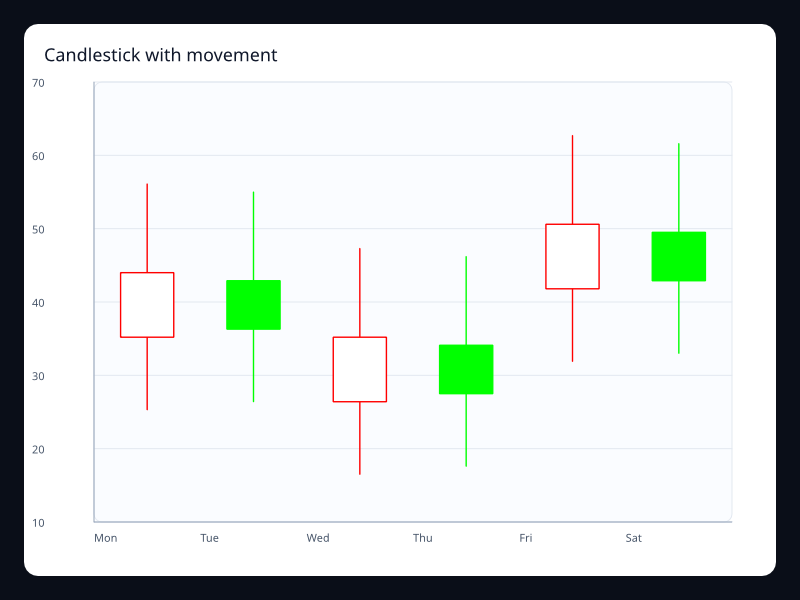
| Candlestick with movement | Rows of open, close, low, high values. | Use it for market and range-over-time data. |
| Conversion funnel | Ordered label/value pairs. | Use it for sales or onboarding funnels. |
| Distribution single axis | Vec<(value, size)>. | Use it when a second axis adds noise. |
| Event single axis | Vec<(value, size)>. | Use it for event density and distributions. |
| Intraday candlestick | OHLC rows. | Use it for intraday or short-range market views. |
| Latency boxplot | Five-number summary rows. | Use it when distribution matters more than averages. |
| Market bubble chart | Vec<(x, y, size)>. | Use it for three-dimensional business comparisons. |
| Product parallel coordinates | Vec<Vec<f32>> observations. | Use it for multidimensional comparison. |
| Quality boxplot | Five-number summary rows. | Use it for process quality and batch comparisons. |
| Quality parallel coordinates | Vec<Vec<f32>> observations. | Use it for filtering and comparing profiles. |
| Recruiting funnel | Ordered label/value pairs. | Use it when stage drop-off matters. |
| Risk return scatter | Vec<(risk, return, exposure)>. | Use it for portfolio-style comparisons. |
| Scatter clusters | Vec<(f32, f32)>. | Use it for correlation and clustering. |
| Scatter outliers | Vec<(f32, f32)> plus effect scatter styling. | Use it to make exceptions visible. |
Choosing within this family
Start with the user's question, not the visual effect. Pick the simplest variant that makes the answer clear, add interaction only when it reduces work for the user, and keep animation purposeful enough that it explains a change rather than decorating the page.