Line
The Line family contains 36 renderer-backed chart variants. Use this page as the entry point for choosing the right variant, then open the variant page for the screenshot, data shape, Rust API notes, and example code.
The chart family is still ordinary Fission UI. Each variant is constructed from typed Rust data, participates in layout and theme decisions, and can be driven by app state, reducers, resources, jobs, or services just like any other widget.
Variants
| Chart | Data shape | Use when |
|---|---|---|
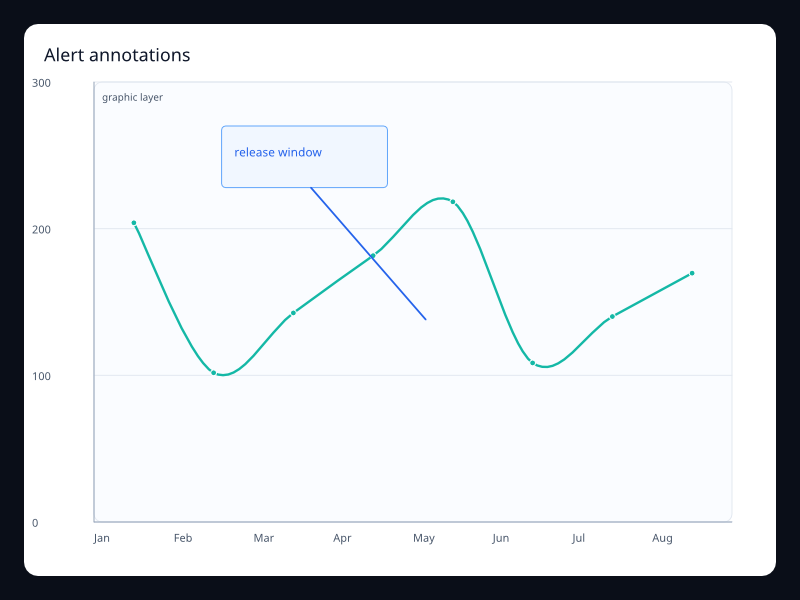
| Alert annotations | Ordered values with event markers. | Use it when incidents or milestones need to stay attached to the trend. |
| Annotated line | LineSeries plus ChartGraphic. | Use it to explain a visible change directly on the chart. |
| API throughput line | Dense ordered samples from a service counter. | Use it for telemetry panels with many points. |
| Capacity forecast band | Observed values with a highlighted expected range. | Use it when a forecast needs both the line and the safe range. |
| Conversion stack area | Several ordered series sharing a stack key. | Use it to explain how categories make up a total over time. |
| Demand sparkline | Compact dense ordered values. | Use it inside dense dashboard cards. |
| Dense spark line | Long Vec<f32> on ordered categories. | Use it for monitoring and telemetry surfaces. |
| Deployment event line | Trend values with deployment markers. | Use it to connect product changes to metric movement. |
| Dual line comparison | Two Vec<f32> series on shared axes. | Use it to compare two trends without changing units. |
| Error budget burn | Budget percentage samples plus threshold marks. | Use it when teams need to see whether a service is inside its operating band. |
| Forecast band | Vec<f32> plus MarkArea. | Use it when forecasts need uncertainty context. |
| Gradient area line | Vec<f32> with area style. | Use it when magnitude and trend should be read together. |
| Inventory end-step | Discrete samples that update at the end of each interval. | Use it when the value changes after the period closes. |
| Line with alert events | LineSeries plus MarkPoint. | Use it to label incidents or releases on a metric. |
| Line with threshold | Vec<f32> plus MarkLine and MarkArea. | Use it for service levels, quotas, and alert thresholds. |
| Log-shaped line | Vec<f32> with nonlinear values. | Use it for adoption curves and saturation effects. |
| Market index line | Indexed ordered values on a value axis. | Use it when direction and volatility matter more than individual samples. |
| Min/max band | Vec<f32> plus mark lines. | Use it to show expected bounds around a metric. |
| Operational step series | Discrete states represented as stepped values. | Use it for state changes, quotas, or inventory counts. |
| Product mix area | Stacked product series over ordered buckets. | Use it when the total and category mix both matter. |
| Quality operating band | Samples with a target and acceptable range. | Use it for production quality metrics with explicit guardrails. |
| Regional trend comparison | Two regional series on shared axes. | Use it when teams compare regions over the same period. |
| Release window annotation | Ordered samples with a graphic callout over the plot. | Use it when a chart needs to explain why a trend changed. |
| Retention zoom window | Long ordered samples with a visible zoom window. | Use it when the primary view should focus on one time range. |
| Revenue seasonality | Ordered samples over a repeated seasonal interval. | Use it when weekly or monthly rhythm is the main signal. |
| Rolling average line | Two Vec<f32> series. | Use it when readers need both movement and trend. |
| Seasonal line | Vec<f32> over ordered periods. | Use it for seasonal demand and capacity planning. |
| Service latency trend | Latency samples over ordered time buckets. | Use it for operations screens that need drift and spikes in one glance. |
| Signup cohort comparison | Two ordered series sharing the same axis. | Use it when users need to compare cohorts over the same time range. |
| Stacked stream area | Multiple LineSeries with one stack key. | Use it for composition over time. |
| Step end line | Vec<f32> with end step behavior. | Use it when values settle at the end of each interval. |
| Step start line | Vec<f32> with start step behavior. | Use it when values jump at the start of each interval. |
| Support volume area | Support counts with an area fill. | Use it when volume should be visible at a glance. |
| Traffic rolling average | Raw and smoothed ordered series. | Use it when the user needs the current signal and the trend baseline. |
| Weekly cycle line | Vec<f32> aligned to weekdays. | Use it for operational rhythms and weekly dashboards. |
| Zoomed line window | LineSeries plus DataZoom. | Use it for long series with local inspection. |
Choosing within this family
Start with the user's question, not the visual effect. Pick the simplest variant that makes the answer clear, add interaction only when it reduces work for the user, and keep animation purposeful enough that it explains a change rather than decorating the page.